 Panna
Panna
A private diary for Windows
Panna is a desktop journal that keeps what you write on your own PC, encrypted with your password. There is no Panna account, no Panna server, and no subscription.
Free · Windows 10 and 11, 64-bit · about 100 MB · Microsoft Store version coming soon.
The installer is not code-signed yet, so Windows shows “Windows protected your PC” the first time. Choose More info, then Run anyway. Release notes and checksum.
A proper place to write, every day
Everything below is in the app today.
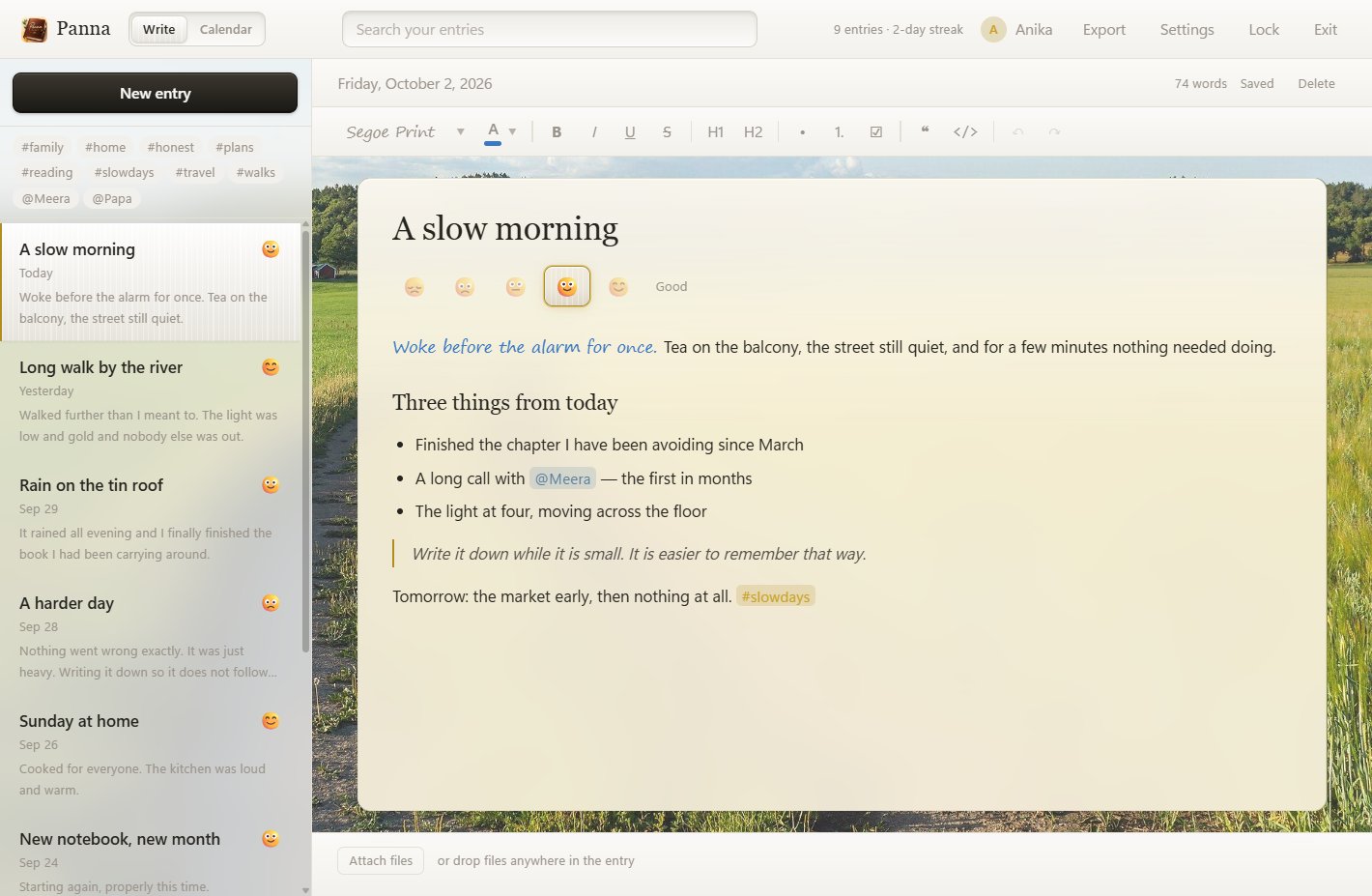
Write the way you think
Headings, lists, checklists, quotes. Choose a font and a colour for any stretch of writing, handwriting faces included. Everything saves itself as you type.
See your month
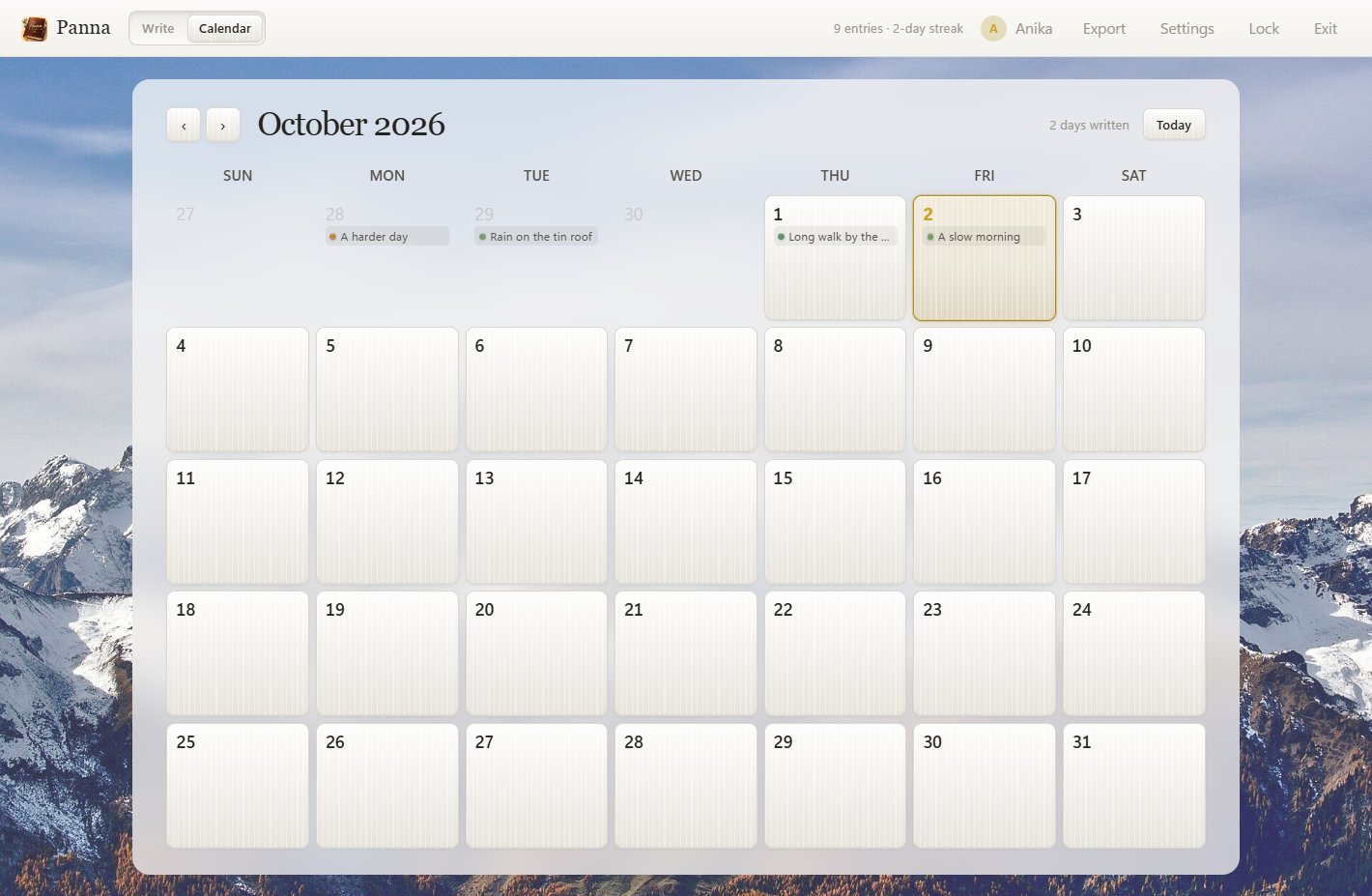
A calendar that shows which days you wrote, coloured by the mood you gave them. Click any day to open it, or to start writing on one you missed.
People and themes
Type #tag or @person anywhere in an entry. Filter the whole diary by either in one click, and search every word you have written.
Photos and files
Attach photos, voice notes or documents by dropping them onto an entry. Each file is encrypted separately.
Make it yours
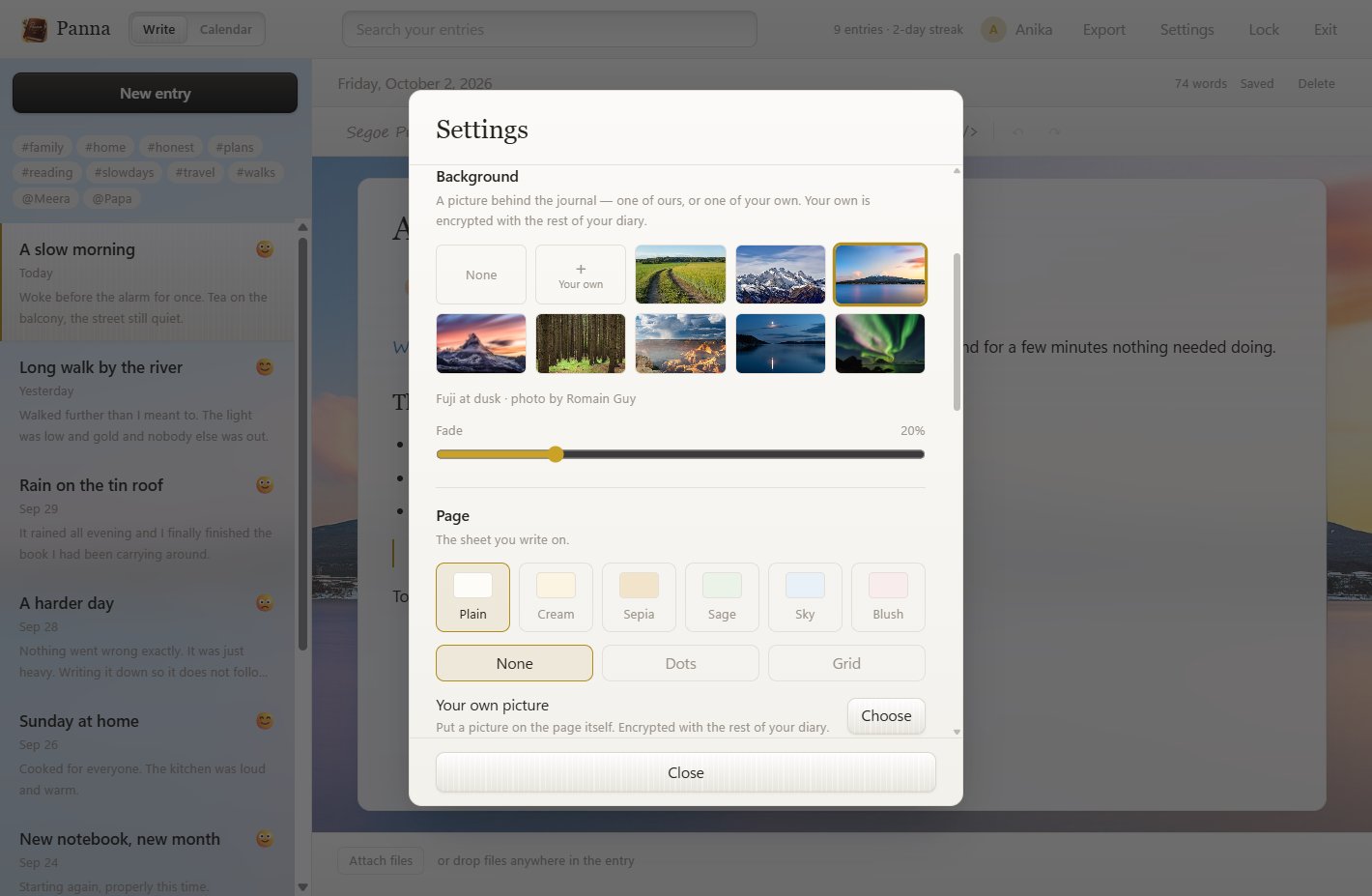
Light or dark. A picture behind the journal — eight are included, or use your own. Six paper colours, a dotted or squared page, or a glass page over your picture.
Take it with you
Export the whole diary as a printable PDF, as Markdown, as a single web page, or as JSON. Your writing is not locked in.
A month of a life, at a glance
The titles of what you wrote sit on the days you wrote them, each with a small dot for the mood. It reads as a month of your life rather than a grid of marks.
A gentle daily reminder is there if you want one. It stays quiet on days you have already written.
A page that suits the evening
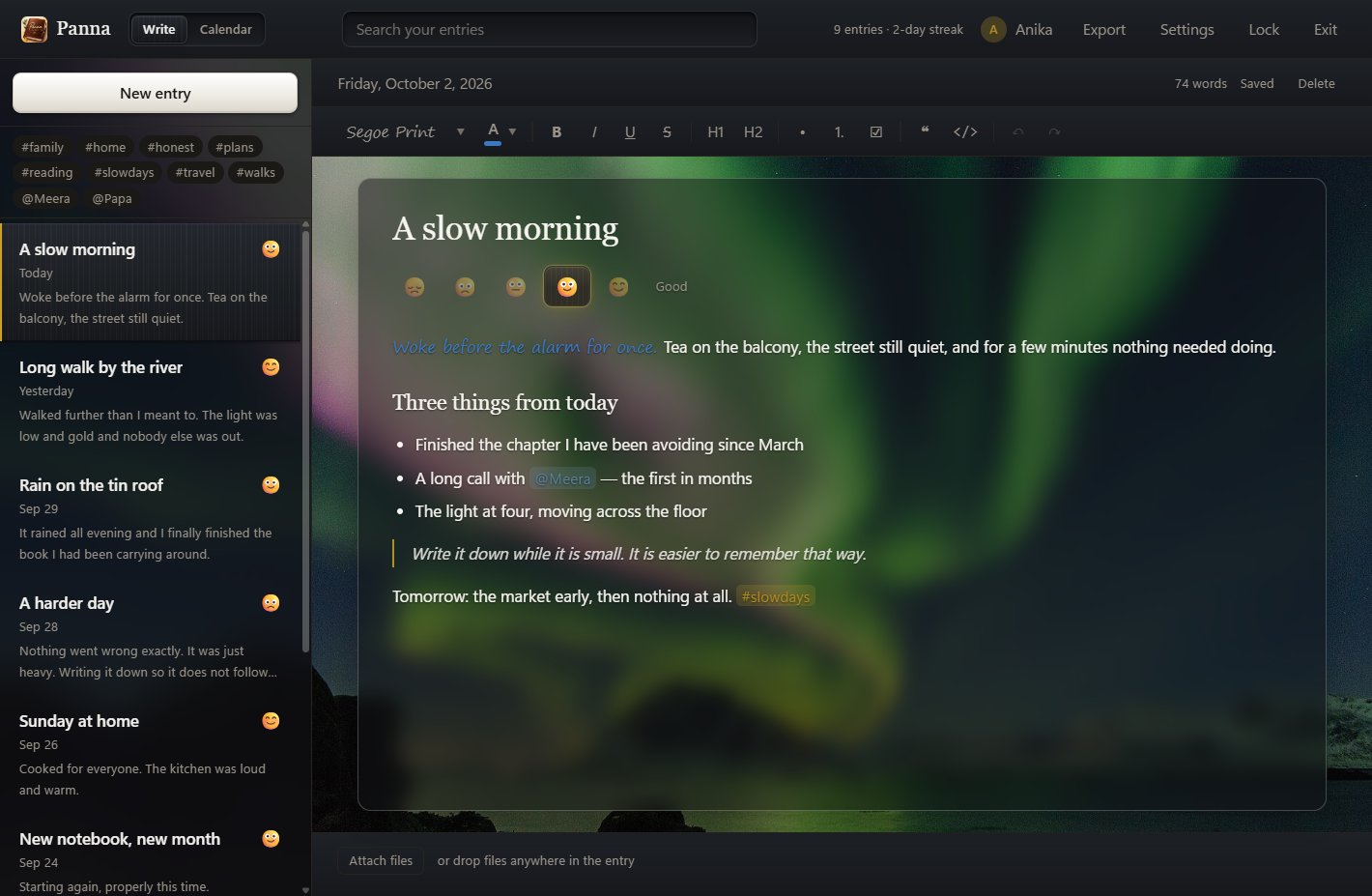
In the dark theme the page can rest as smoked glass over your picture while you read, and turn back to paper the moment you click in to write.
Your profile name and picture are kept inside the diary, encrypted with everything else.
Encrypted before it touches the disk
We describe exactly how it works, because a privacy claim you cannot check is not worth much.
- Your master password goes through Argon2id, a deliberately slow function, to produce a key.
- A separate random 256-bit key encrypts your entries, your files and your pictures with AES-256-GCM.
- Only a sealed copy of that key is written to disk. The open key exists in memory while the diary is unlocked, and is wiped when you lock it.
- A security question you choose seals a second copy, so a forgotten password can be reset — by you, on your PC, with nothing sent anywhere.
- No Panna account. Nothing to sign up for.
- No Panna server. We have nowhere to receive your data.
- No analytics, no ads, no tracking.
- No network use at all unless you turn on Google Drive backup.
- We cannot recover your diary. If you forget both your password and your security answer, it is gone. Choose an answer people around you would not know.
Backup to your own Google Drive
Off until you choose “Sign in with Google” in Settings. Here is exactly what Panna does with your Google account, and what it does not.
- What is uploaded: a backup of your diary, encrypted on your PC with your diary’s own key before it leaves. Google stores it and cannot read it. Neither can we.
- Where it goes: a folder named “Panna Backups” in your own Drive. You can see it and delete it there at any time.
- What Panna can see in your Drive: only the files it created. It asks Google for the narrowest permission there is and cannot list, read or change anything else you keep there.
- What Panna learns about you: your Google email address, shown in Settings so you know which Drive is in use. It stays on your PC, encrypted. It is never sent to us.
- Your Google password: never seen by Panna. You sign in on Google’s own page, in your own browser.
- Turning it off: “Sign out” removes the sign-in from your PC and asks Google to revoke the access.
Backups run when you ask, or automatically every day or every week while your diary is unlocked. Moving to a new PC? Sign in and restore. The full details are in the privacy policy.